July 2017 update : Sunrise Calendar was discontinued. After some trial and error I found an alternative. You can find the post here.
A few months ago I was looking for a new calendar app for my ipad that would integrate with my Google calendar; I tried a couple out but ended up sticking with Sunrise Calendar.
[Click images to make them larger.]
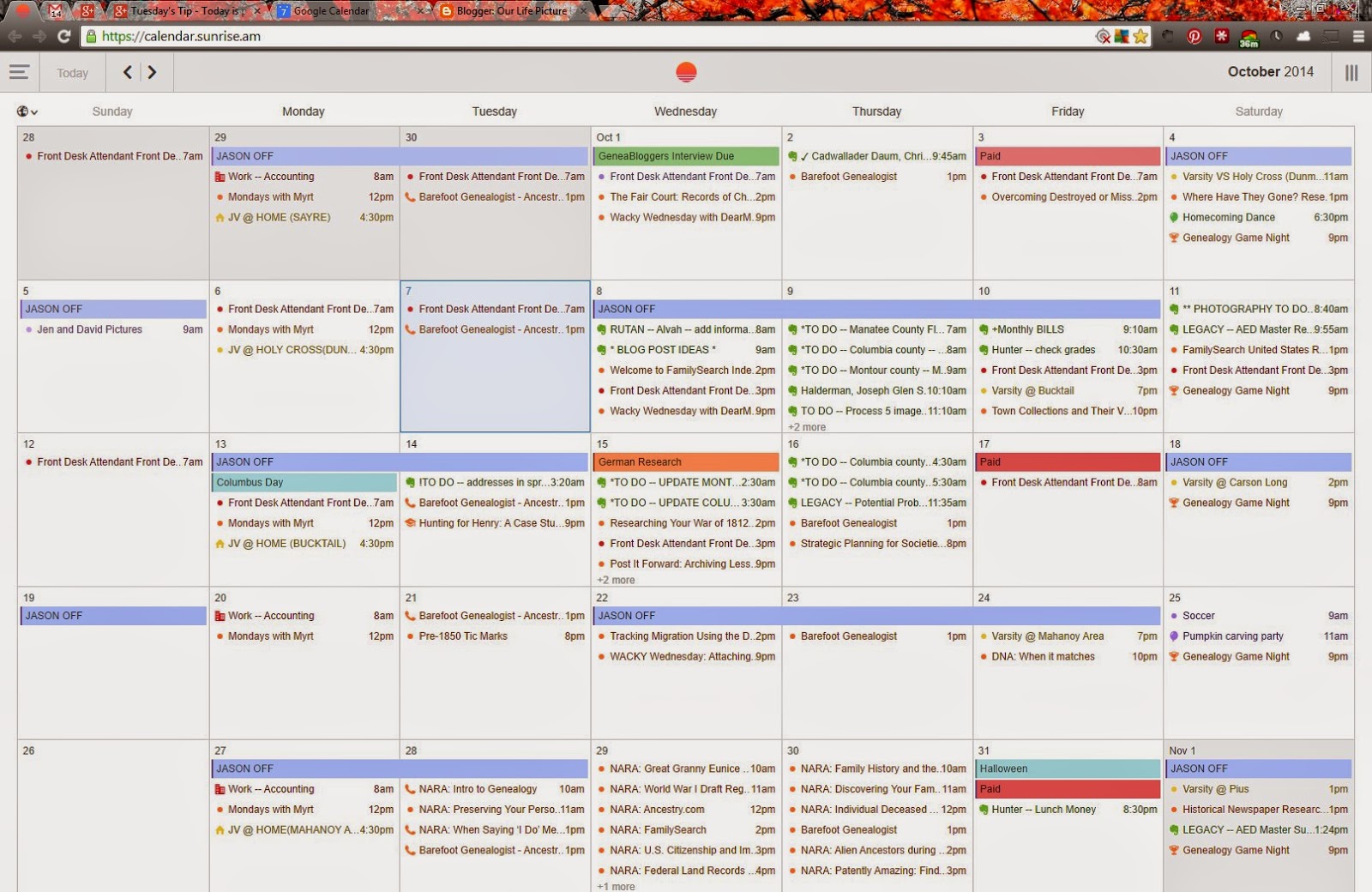
Here is the month view:
Week view:

Sidebar details included in the image below:

In each of the sections above (1, 2, and 3) you can use the check box to toggle your calendars on and off.
#4 Preferences detail:

The Accounts tab is where the magic happens. When you first setup your account you will need to go to the Accounts tab to connect your other accounts.
The first image below lists the accounts that you can connect. Once you connect your accounts you can see what you have connected by scrolling down to the bottom (the 2nd image below).


My favorite part about this calendar is that I can see all of my Evernote Reminders! You can also drag and drop your reminders to different times or dates and it is updated in Evernote. If I don't get all of my reminders completed today I will drag and drop them to another day that I think I will have time to get to them. I have this calendar on my desktop, my Android phone, and my ipad mini.
I have not found a way to change the colors in the Sunrise calendar so I make any color changes on my Google calendar and then the changes sync to the Sunrise calendar.
The only thing I found that I do not like is when you click on an Evernote Reminder there is a link to open the note in Evernote. When I click the link it takes me the web version of Evernote and to a new note not my Reminder. I wish it would open the correct note right in my Evernote desktop program.
You can see my first post about Evernote Reminders here and here.
As always if you have any questions please post here or send me an email at sthomas51004@gmail.com.
Happy ancestor hunting!
A few months ago I was looking for a new calendar app for my ipad that would integrate with my Google calendar; I tried a couple out but ended up sticking with Sunrise Calendar.
[Click images to make them larger.]
Here is the month view:
Week view:
Sidebar details included in the image below:
- These are the Google calendars that are attached to this calendar.
- This is my Facebook account; it shows birthdays and events.
- This is my Evernote account.
- Preferences (more detail on this below).
- Toggles the Sidebar on and off.
In each of the sections above (1, 2, and 3) you can use the check box to toggle your calendars on and off.
#4 Preferences detail:
The Accounts tab is where the magic happens. When you first setup your account you will need to go to the Accounts tab to connect your other accounts.
The first image below lists the accounts that you can connect. Once you connect your accounts you can see what you have connected by scrolling down to the bottom (the 2nd image below).
My favorite part about this calendar is that I can see all of my Evernote Reminders! You can also drag and drop your reminders to different times or dates and it is updated in Evernote. If I don't get all of my reminders completed today I will drag and drop them to another day that I think I will have time to get to them. I have this calendar on my desktop, my Android phone, and my ipad mini.
I have not found a way to change the colors in the Sunrise calendar so I make any color changes on my Google calendar and then the changes sync to the Sunrise calendar.
The only thing I found that I do not like is when you click on an Evernote Reminder there is a link to open the note in Evernote. When I click the link it takes me the web version of Evernote and to a new note not my Reminder. I wish it would open the correct note right in my Evernote desktop program.
You can see my first post about Evernote Reminders here and here.
As always if you have any questions please post here or send me an email at sthomas51004@gmail.com.
Happy ancestor hunting!
Comments
Post a Comment