baseball

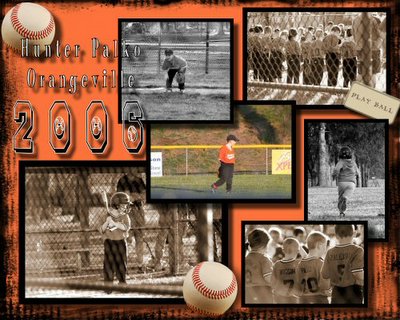
I am making one of these "collage" type things for all the kids on Hunter's team and the coaches as well. I love how Hunter's looks...I cant wait to get going on the other ones too! My favorite picture on this one is the one in the bottom right corner. Posted by Picasa

Comments

Popular posts from this blog

OneNote | A Look Inside

I still have a few more notes to move over from Evernote but I am loving OneNote.  I keep to do lists, goals, projects, ideas, genealogy research and so much more in OneNote.  So what does my setup look like?  Lets take a look! {I usually use OneNote 2016 but I have tried the Windows 10 app and it works just as good.} The first screen shot below is OneNote 2016 and the second is from the Windows 10 app.  My first notebook is my task management notebook.  In this notebook I have my Inbox, which is my default section for incoming stuff, calendar and lists.  {Emails that I have sent to OneNote and screen clips go in my Inbox section.} The next notebook is for my blog, and then the Genealogy notebook is for research notes, then I have the GBT notebook which I use for notes and reminders for GeneaBloggersTribe, the Reference notebook is for things that don't belong in one of the other notebooks,  and the last notebook is the Archive. Let...

Marine Casualty Card Database

While I was writing Top 10 Blog Posts for 2019 I discovered that my top post was US Marine Casualty Cards from 2014.  Wow!  {There is also an update to the original post here  where I show some more information that was sent to me.}  I went back to read the post and discovered that the links no longer work.  I did a little digging and found a link to the Casualty Card Database at the Marine Corps University website.  At this site you click on the war you want to search and download a searchable spreadsheet.  Once you locate your Marine you send an email to request the card.  There are also links to download information about what the codes mean on the cards. I also found that you can search the U.S. Marine Corps Casualty Index, 1940-1958 , at Ancestry.com.  It gives the casualty date, type, unit, and service number.  There is a link to go to another website from the Ancestry database but that link does not work. {I believe...

Statistics in Legacy

One of the nice features of Legacy is that it can provide you with a lot of information about your data in the form of numbers and charts in Statistics. The image below show where you find Statistics in your Legacy program.  It is under the Tools tab and then near the end of the Tools ribbon you will see the Statistics icon. What kinds of things can you learn from Statistics?? The image below shows what my database file look like in Statistics when I opened it today.  You can get lists of the most popular surname, the most popular given name, the most popular locations, etc.  As you click on the items in the list you will see the Show Graph, Create Search List, and other buttons become available near the bottom right of the screen. (See image below) The image below show what one of the graphs look like.  There are a few different options for the type of graph you want to see.  (I'm not big on their color choices and I don't see a way to change them...